
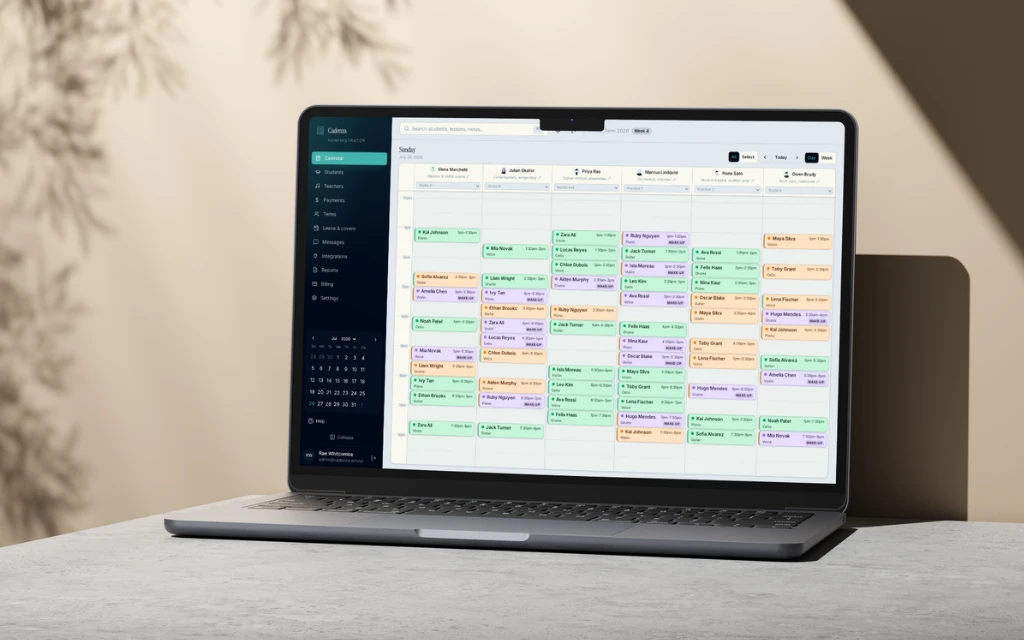
Features
- Scheduling
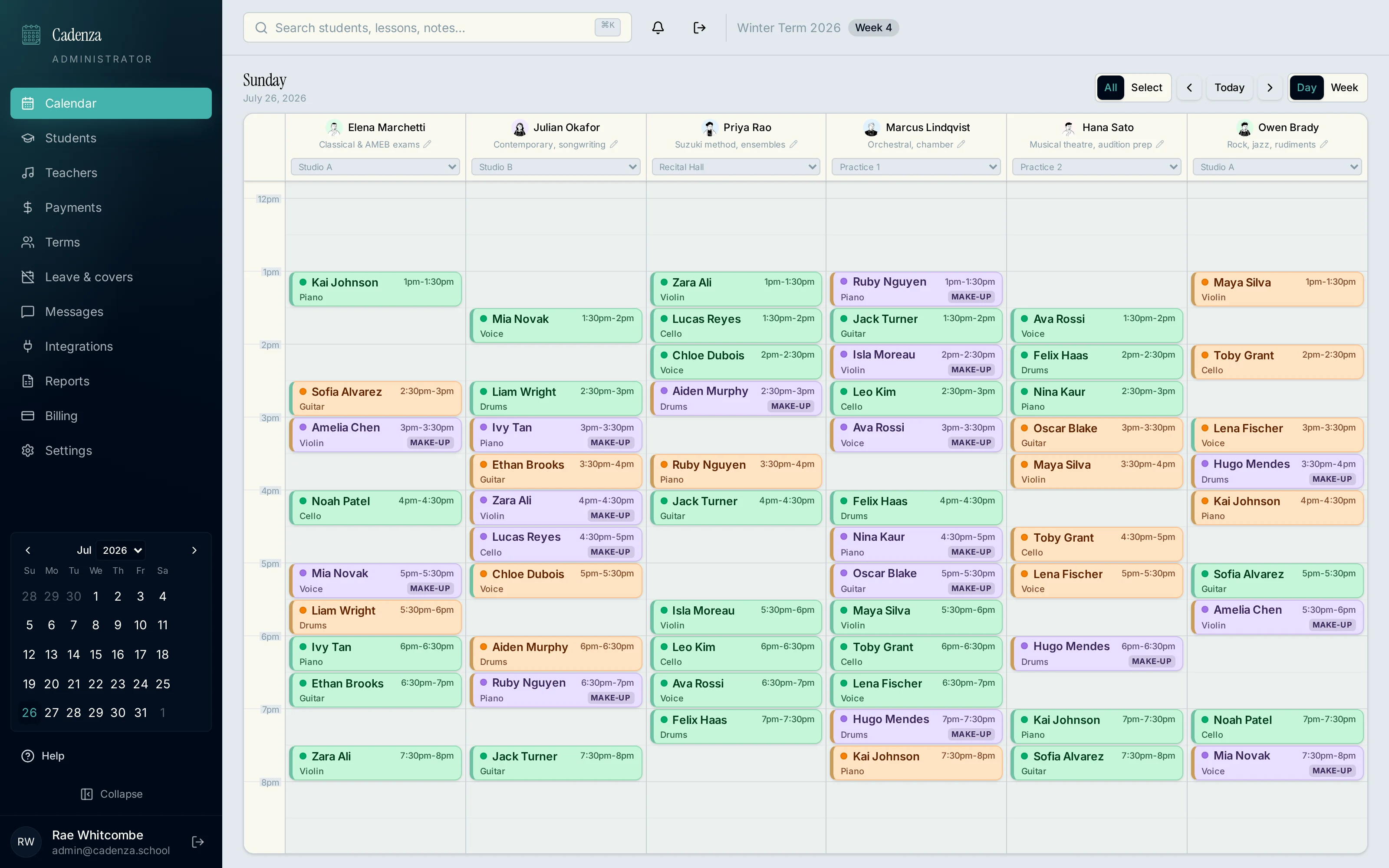
- Day calendar per staff member, drag to reschedule, recurring series, rooms and resources.
- Clients and students
- Profiles, households, contact details, date of birth, levels, secondary contacts and notes.
- Staff
- Availability, breaks, leave requests, cover shifts and the services each person delivers.
- Attendance
- Mark attended, absent or cancelled, with make-up credits issued under your own rules.
- Payments
- Record payments, comp an appointment, void or refund, card on file and auto-charge.
- Invoices
- Group settled appointments into one invoice, email or SMS it, track what is still outstanding.
- Cancellations
- Notice rules decide whether a cancellation earns a make-up, with exemptions for genuine emergencies.
- Online bookings
- A shareable booking link that respects real availability and can require a card or deposit.
- Client portal
- Clients see upcoming appointments, staff feedback, make-up credits and their invoices.
- Reporting
- Payments, invoices and attendance exported to CSV or PDF for your bookkeeper.
- Stripe
- Your own Stripe account, connected once, for online payments and cards on file.
- Xero
- Invoices, payments and bank takings posted through a clearing account.
For administrators
- Move a single occurrence or the whole recurring series
- Rooms shown under each staff member's name
- Cancelled and absent appointments stay visible rather than vanishing
- Book a new client without leaving the calendar
- Group appointments with more than one attendee
- Leave, cover shifts and closures reflected on the day
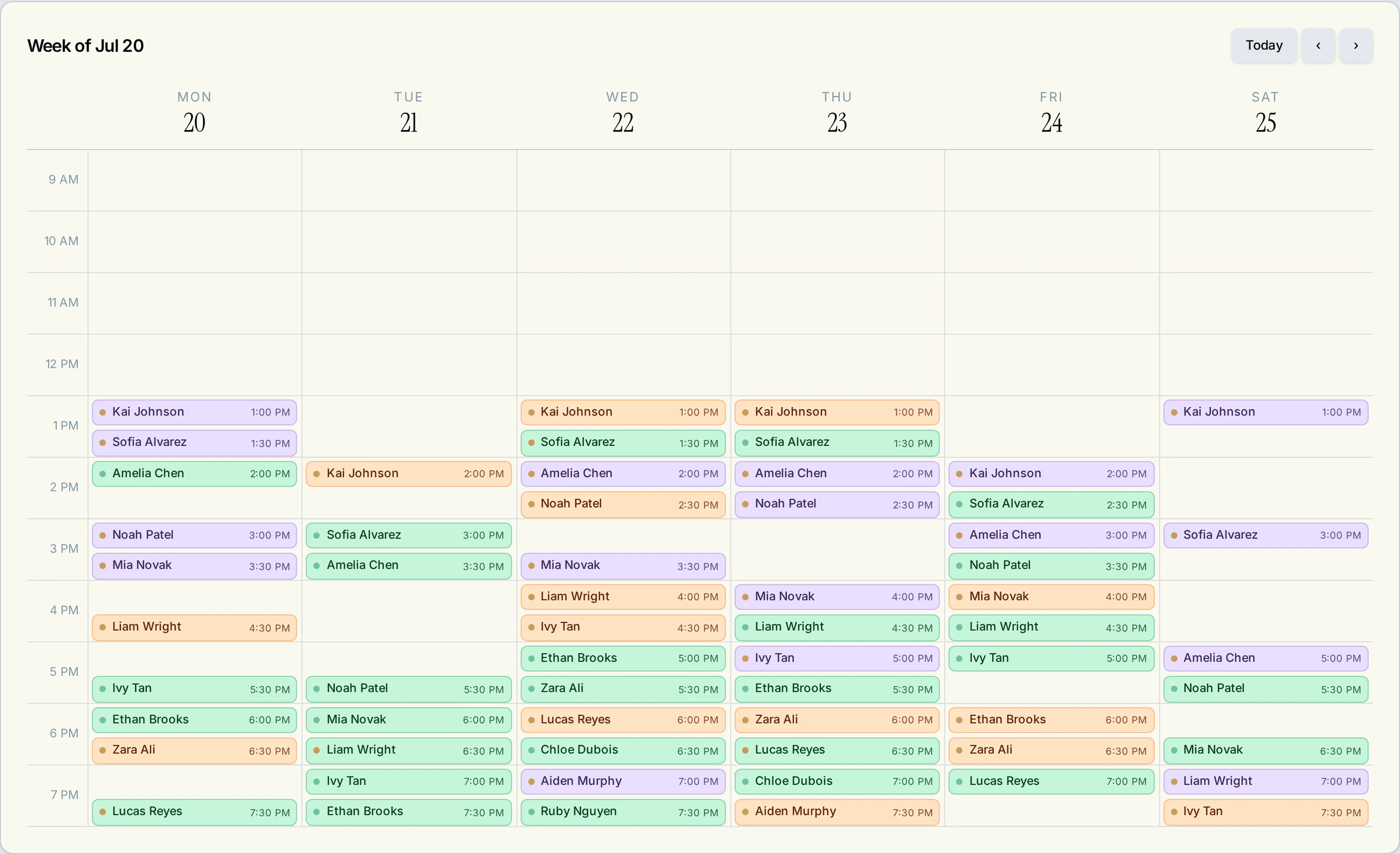
For staff
- Their own login showing only their own day
- Room assignment visible against every appointment
- Mark attended, absent or cancelled as the day runs
- Client notes and progress recorded per client
- Request leave, or pick up an open shift as cover
- Their own client list with contact details and history
- Works on a phone between appointments
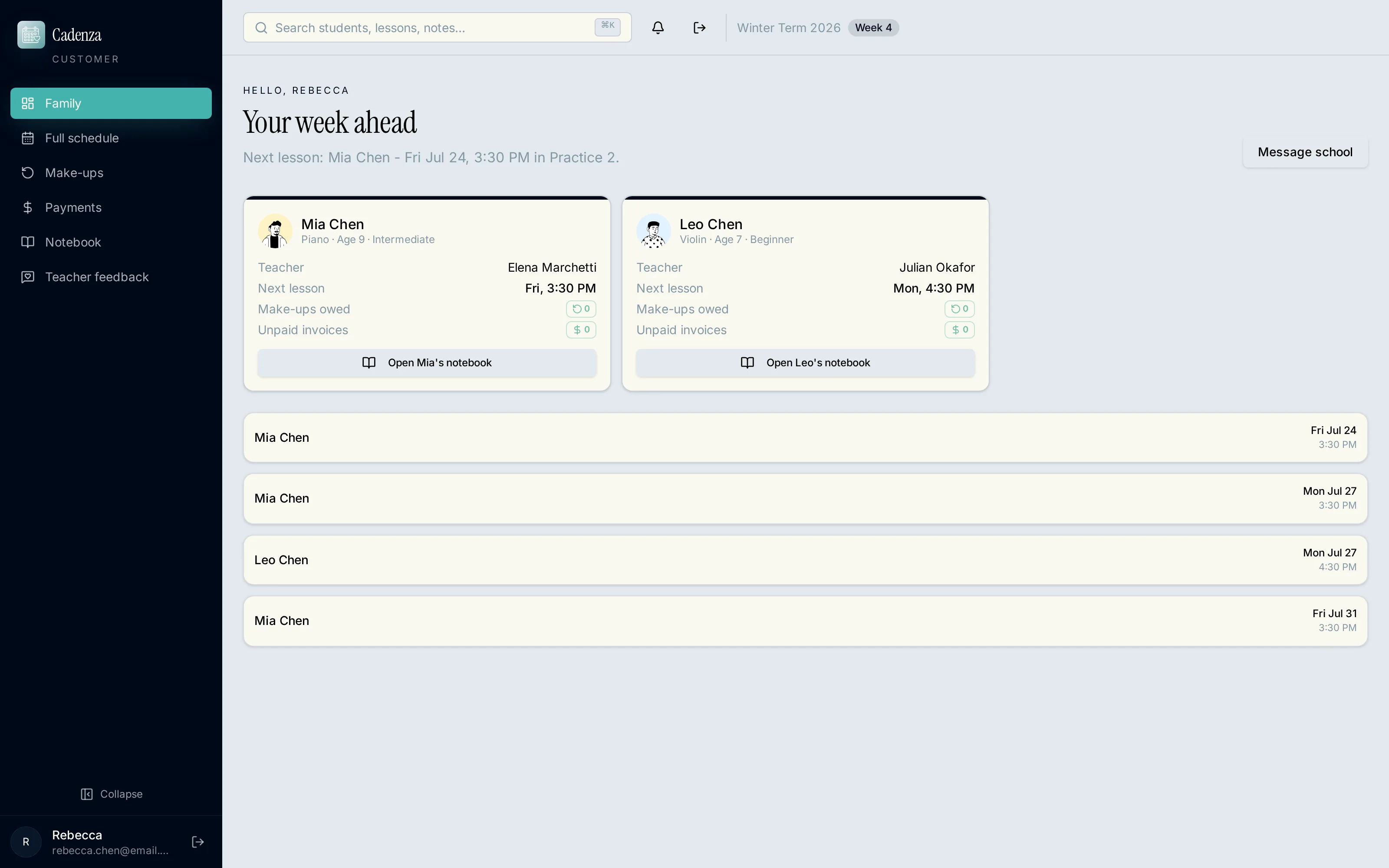
For clients
- Their own login showing every upcoming appointment
- Cancel or request a make-up under your notice rules
- Make-up credits and expiry shown without asking the office
- Staff feedback and progress updates after a session
- Invoices, receipts and outstanding balances in one list
- Card on file added or replaced by the client themselves
- Contact and date of birth details confirmed at first login
Invoicing & payments simplified
Money is recorded against the appointment it belongs to, so the ledger always matches the calendar.
- One invoice per settlement
- Appointments settled together group into a single invoice rather than a stack of separate charges.
- Delivered how the client reads it
- Invoices sent by email or SMS straight from the payment screen.
- Cards on file
- Held securely and charged automatically, with auto-charge switchable off for an individual client.
- Paid at booking
- Take a deposit or the full amount when a client books through your online link.
- Partial, comped, voided, refunded
- Record any amount, comp an appointment with an audit trail, and reverse it later if needed.
- Books that reconcile
- Invoices, payments and daily takings post to Xero through a clearing account, and export as CSV or PDF.
Built for appointment-based businesses.
- Music schools
- Instruments, levels, term enrolments, practice notes.
- Tutoring
- Subjects, session notes, parent visibility, packages.
- Dance and drama
- Group classes, attendance rolls, terms and closures.
- Hair salons
- Service menu, durations, deposits, repeat clients.
- Day spas
- Rooms, resources, staff availability, packages.
- Other appointment work
- Anything booked to a person, a time and a price.
Why we're different
- Services and pricing
- Set your own service list, durations, prices, tax treatment and packages. A service priced at $0 is booked and settled without asking anyone for money.
- Cancellation rules
- Choose the notice window that earns a make-up credit, and list the reasons that are exempt from it.
- Make-up expiry
- Either a rolling countdown per credit, or one fixed date on which every credit expires.
- Staff structure
- Owner-operators run admin and staff from one login. Larger teams get separate admin and staff logins.
- Rooms and resources
- Name your own rooms once, then assign them per appointment or across a recurring series.
- Terms and closures
- Define term dates, public holidays and studio closure days, and charges skip them.
- Billing behaviour
- Auto-charge can be turned off for an individual client without changing it for everyone else.
- Wording
- Cadenza uses the language of your industry rather than forcing music school terminology on a salon.
How it works
- 01Set up your business
Name, business type, timezone, tax and invoice preferences. Nothing technical.
- 02Add staff, clients and services
Add records as you go. Each staff member gets their own login.
- 03Build the schedule
Book one-off or recurring appointments straight onto the calendar, or open the booking link to clients.
- 04Run the day
Attendance, payments, invoices, cancellations and cover shifts all happen from the same screen.

Everything included
Scheduling
- Per-staff day calendar covering the full 24 hours
- Drag and drop to move time, staff or both
- Single occurrence or whole series edits
- Bulk reschedule that keeps the original pattern
- Rooms and resources per appointment
- Breaks and availability windows
Clients
- Editable profiles with contact details and date of birth
- Households, so siblings share one account
- Levels and progress updates
- Notes recorded per client by staff
- Make-up credits with a full audit trail
- Client portal login and first-login detail confirmation
Staff
- Separate staff logins with their own day view
- Leave requests, logged by staff or by admin
- Open shifts other staff can pick up as cover
- Service groups assigned per staff member
- Attendance and notes from the staff screen
- Payroll-oriented exports
Money
- One invoice grouping everything settled together
- Invoices delivered by email or SMS
- Cards on file and automatic charging
- Deposits and no-show fees on online bookings
- Stripe and Xero connected to your own accounts
See Cadenza in action
One price per tier, based on how many staff you have.
No per-client fees and no paid add-ons. Annual billing costs roughly two months less than monthly.
| Features | ||||
|---|---|---|---|---|
| Combined owner (admin + staff) login | ||||
| Drag-and-drop calendar | ||||
| Customer & staff profiles | ||||
| Online booking portal | ||||
| Attendance & make-up credits | ||||
| Customer login & feedback | ||||
| Card-on-file & auto-charge | ||||
| Group appointments | ||||
| Free onboarding | ||||
| Separate admin & staff logins | ||||
| Recurring room & resource assignments | ||||
| Leave & cover-shift workflow | ||||
| Advanced reporting & payroll exports | ||||
| Multi-location support | ||||
| Custom roles & permissions | ||||
| API access & Zapier | ||||
| Priority support with named CSM | ||||
| SSO & audit log |
Common questions
Something not covered here? .